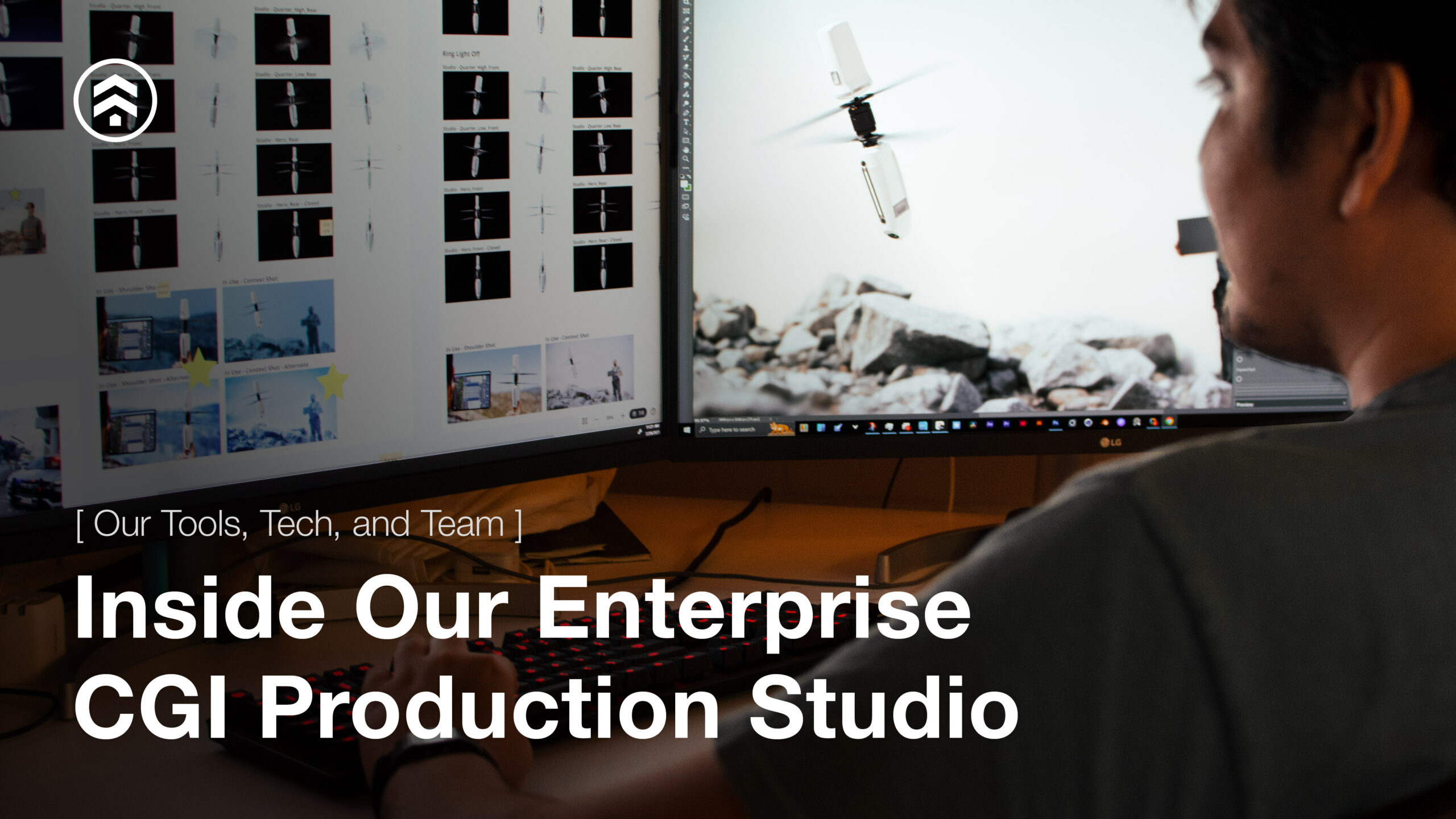
At Sprout Studios, we have built an enterprise CGI production studio designed to support the real demands of modern product businesses. Our work goes far beyond creating attractive images. We help global brands, product teams, and marketing organizations build scalable product visualization systems that deliver photorealistic CGI, support high-volume asset production, maintain brand consistency, and integrate into the workflows that drive launch, sales, and ongoing content creation.
For enterprise teams, CGI is not just a creative service. It is an operational capability. The value is not only in the final render. It is in the ability to create accurate, reusable, configurable assets that work across campaigns, e-commerce, sales enablement, product configurators, DAM systems, PIM systems, and long-term content libraries.
That is how we approach enterprise CGI at Sprout. We build the production system first, then scale output with speed, precision, and control.
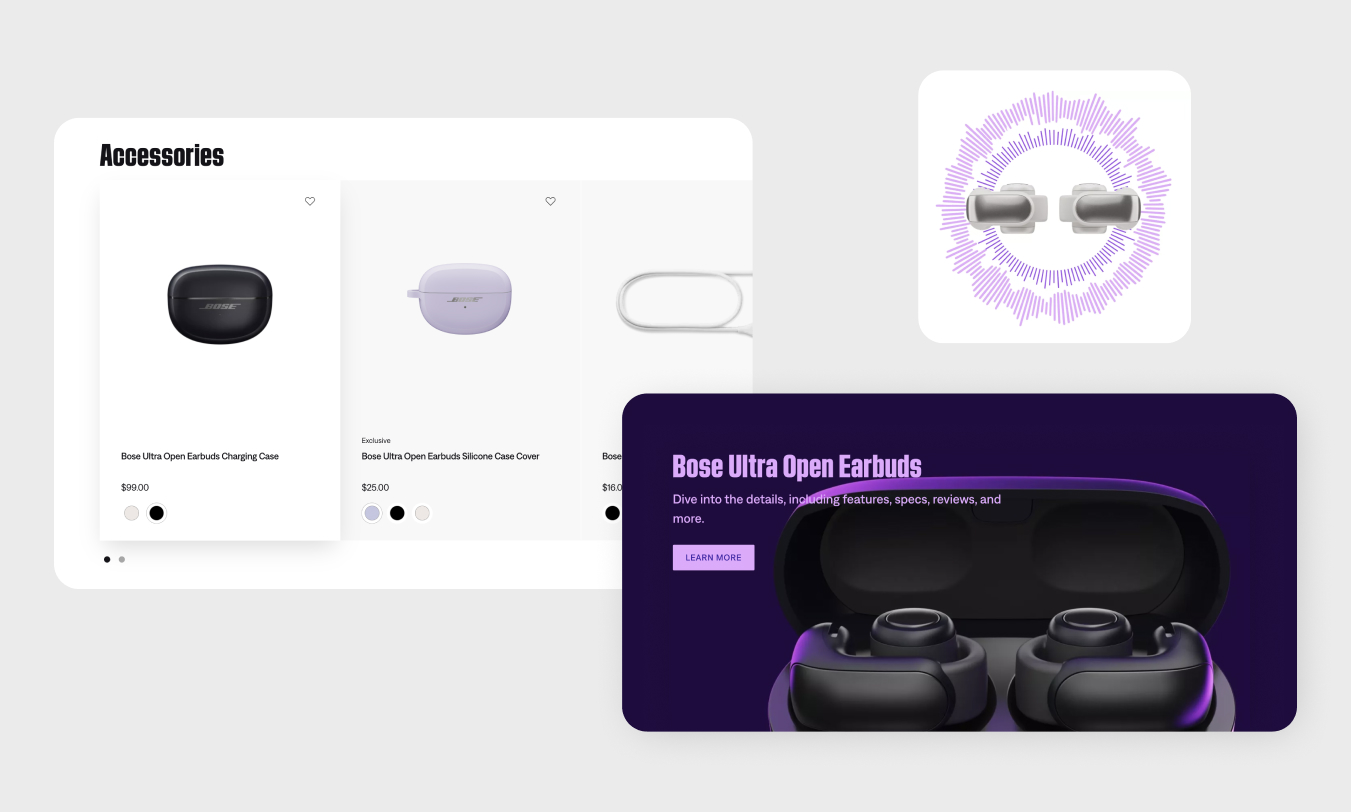
CGI That Scales With Your Brand
Enterprise CGI programs succeed when they are built around repeatability, governance, and production logic, not just visual talent. A single enterprise account may require hundreds or thousands of assets across SKUs, finishes, environments, configurations, and regions.
Supporting that level of output requires a CGI production studio that understands not only rendering, but also product data, proofing workflows, delivery structures, and downstream integration.
Sprout Studios is built for that kind of work.
Our content-factory model combines a U.S.-based team, flexible rendering infrastructure, structured review systems, and customized production workflows to support scalable product visualization across multiple programs in parallel. This allows enterprise marketing, product, and sales teams to move faster without sacrificing accuracy or consistency.
This creates several clear advantages:
- Consistency Across SKUs and Campaigns: Every variant, angle, environment, and output is built around an established visual system. That allows brands to maintain a cohesive visual language across channels, product lines, and geographies.
- Accuracy Across Products and Configurations: Our CGI is grounded in how products are actually designed, engineered, and manufactured. From internal assemblies to external finishes, each asset is developed to reflect the real product, reducing risk and misrepresentation.
- Speed Without Unnecessary Rework: Strong first-in-series development, structured approvals, and custom proofing workflows make it possible to move quickly while keeping quality high and revision cycles under control.
- Scalable Content Libraries: Once the core visual system is established, additional images, product variants, technical views, and animations can be created more efficiently, lowering marginal cost and supporting ongoing campaign needs.
- Support for Complex and Configurable Products: We regularly build CGI workflows for modular systems, configurable assemblies, technical products, and views that are difficult or impossible to achieve through traditional photography.
- Localized and Market-Specific Content: Because CGI is inherently flexible, we can support visual variants for regional campaigns, seasonal launches, channel-specific requirements, and customer-specific needs while maintaining overall brand fidelity.
Our CGI Tech Stack
Our CGI workflows are intentionally technology-agnostic. We do not force every project into a single software stack. Instead, we select tools based on the product, production needs, intended output, client systems, and long-term use case.
That flexibility is especially important for enterprise CGI, where assets often need to support CAD-based visualization, animation, product configurators, DAM and PIM integration, proofing workflows, and future reuse across multiple teams and channels.
CAD, Modeling, and Product Data
Strong product visualization starts with strong product data. We work across a wide range of CAD, modeling, and scanning platforms to create accurate product foundations that support both rendering and broader development workflows.
Our team commonly works with SolidWorks, CREO, Fusion 360, Rhino, and CLO 3D, depending on the category and complexity of the project. These platforms allow us to develop accurate 3D models, assemblies, and surfaces that go far beyond simple visualization geometry. Because these assets are built with real product structure in mind, they can support downstream applications such as design refinement, engineering collaboration, prototyping, and ongoing product updates.
For physical references and object capture, we also use 3D Maker Pro / Moose and Polycam as part of our 3D scanning and photogrammetry workflows. These tools can help accelerate model development, improve surface fidelity, and reduce errors when products, prototypes, or textures need to be translated into digital form.
Rendering, Animation, and Interactive Visualization
Our visualization software stack is designed to support photorealistic CGI, technical rendering, product animation, immersive experiences, and interactive product visualization. We select rendering tools based on the specific needs of each program rather than trying to solve every problem with one platform.
Depending on the project, our workflows may include KeyShot, KeyVR, Blender, Cinema 4D, Redshift, Houdini, Unreal Engine 5, and Octane Render.
This allows us to support a broad range of outputs including e-commerce imagery, 360 product spins, in-context rendering, technical callout views, cinematic animation, immersive demos, and real-time product configurators. Some workflows require fast, photorealistic studio rendering. Others demand advanced simulation, interactive control, or real-time visualization. Our stack is built to support both.
AI-Assisted Workflow Acceleration
We use AI as a workflow accelerator inside a controlled production system. The role of AI in our CGI studio is not to replace product knowledge, creative direction, or quality control. It is to improve speed, flexibility, and efficiency in areas where emerging tools can meaningfully enhance the pipeline.
Depending on the use case, we may use Vizcom, Midjourney, Nano Banana Pro, FLUX.2 Pro, and related AI platforms to support concept development, scene generation, image modification, compositional exploration, and accelerated iteration.
Used correctly, these tools can help reduce cycle time, expand exploration, and increase output efficiency while maintaining the production standards required for enterprise CGI programs.
Retouching, Color Management, and Final Production
Retouching is the final stage where assets are refined and prepared for delivery. This includes image cleanup, enhancement, consistency checks, compositing, and final adjustments that ensure every file meets visual and technical requirements.
Our post-production workflows commonly use Photoshop and Lightroom for retouching, batch processing, image management, and final asset preparation.
Color management is equally critical, especially when CGI assets must reflect real-world materials, finishes, and product details across multiple channels. To support this, we maintain a controlled color workflow that may include calibrated capture environments, Calibrite color references, and professional IPS and OLED display standards with high gamut coverage. These controls help improve consistency from source capture through final output.
Workflow, Proofing, and Enterprise Integration
A true enterprise CGI production studio cannot stop at image creation. It also needs to support how enterprise teams actually work. That means building production around review, approvals, asset governance, and systems integration.
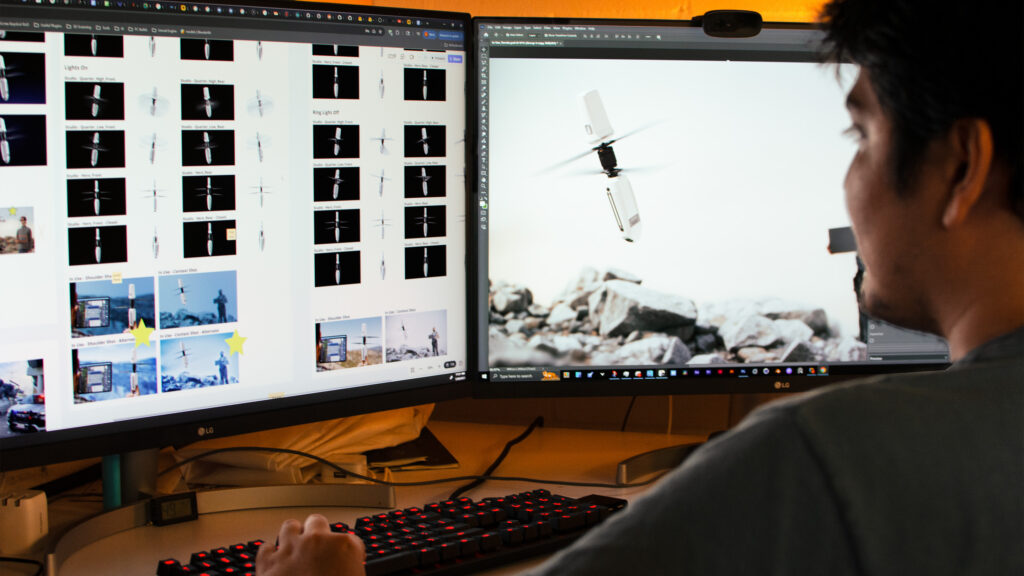
For review and collaboration, we work within platforms such as Workfront, Review Studio, Miro, and ClickUp, depending on client preference and existing process. These proofing workflows allow feedback to be captured clearly, approvals to move efficiently, and stakeholder communication to remain centralized.
We also build internal scripting, automation, and AI-assisted pipeline tools to improve file handling, accelerate repetitive tasks, standardize outputs, and support integration requirements tied to DAM systems, PIM systems, and related content operations platforms.
Every tool in our CGI toolkit is selected based on purpose. Some workflows are built around CAD precision and engineering alignment. Others are designed for high-volume e-commerce rendering, product configurators, immersive visualization, or animation-led storytelling. By matching the right software and systems to the right production need, we maintain flexibility without sacrificing consistency.
Our Process for High-Volume Asset Production
Enterprise CGI is most effective when the process is structured from the beginning. Our production approach is designed to reduce rework, align stakeholders early, and support efficient scaling across large asset volumes.
Phase 01: Asset Evaluation
Each program begins with a detailed review of the client-provided assets. This usually includes CAD evaluation, geometry review, dimensional validation, and compatibility checks to ensure the product data can support an efficient CGI workflow.
If files are incomplete, missing, or not suitable for production, our team can create or rebuild 3D assets from sketches, photographs, physical samples, prototypes, or other references. This early phase is critical because it establishes the foundation for every render, animation, and derivative asset that follows.
Phase 02: Studio Setup and First-in-Series (FIS)
Once the product foundation is established, we create a first-in-series (FIS) asset. This defines the core visual system for the program, including materials, lighting, camera logic, composition, file structure, and visual brand language alignment.
The FIS is one of the most important phases in enterprise CGI production because it creates a controlled standard before scaling begins. It allows stakeholders to align on realism, look and feel, brand expectations, and technical requirements before the work expands across additional products, variants, or campaigns.
Phase 03: Feedback, Proofing, and Iteration
Client collaboration is built into the process through structured proofing workflows. Using platforms such as Review Studio, Miro, Workfront, or other review environments, we centralize feedback and manage revisions in a way that reduces ambiguity and supports faster approvals.
This stage allows us to align visuals not only with product accuracy and brand direction, but also with internal stakeholder preferences, go-to-market requirements, and broader production constraints. Tight proofing loops are essential for maintaining consistency across enterprise-scale programs.
Phase 04: Scaled Asset Production
Once the visual system is approved, production expands. This may include additional SKUs, materials, configurations, product families, environments, technical illustrations, 360 assets, product configurator outputs, animation sequences, or campaign-specific derivatives.
Where possible, production is parallelized to increase throughput while maintaining consistency. Quality control is embedded throughout the workflow to ensure materials, lighting, file naming, product details, and deliverable standards remain aligned across every output.
Phase 05: Asset Delivery and Integration
Final assets are organized, packaged, and optimized for their intended use. Depending on the program, that may include delivery for e-commerce, internal product reviews, launch campaigns, configurators, retail content, or long-term digital libraries.
We also support client-side integration needs tied to review systems, file structures, DAM workflows, PIM requirements, and other content operations needs so assets are not only delivered, but usable inside the systems that support the business.
What’s Different About Sprout Studios
Many teams can create good-looking renders. Fewer can build the systems required to support enterprise CGI at scale. That is where Sprout stands apart.
- Dedicated Account Management: Each program is supported by dedicated account leadership to help manage communication, feedback, scheduling, and production alignment from intake through delivery. This creates clearer coordination and a more stable operating rhythm for complex programs.
- Custom Workflows: We do not use a rigid one-size-fits-all pipeline. Every client workflow is customized based on product category, stakeholder structure, review process, asset requirements, and systems environment. That flexibility is essential when supporting enterprise teams with unique operational needs.
- Built for Scale: Our workflows are designed for enterprise and high-growth brands that need large volumes of consistent, high-quality CGI assets delivered efficiently across time. We are structured to support both focused initiatives and long-term visualization programs.
- Product-Grounded Expertise: Because our foundation is rooted in product design and development, we understand how products are built, how materials behave, and how real-world constraints affect visual accuracy. That knowledge leads to better interpretation, stronger outputs, and fewer revisions.
- Ongoing Support and Training: Our role does not have to end at delivery. We also provide support through in-person or remote training to help internal teams understand CGI assets, maintain continuity, and make better use of digital product libraries over time.
The Experts Driving Our CGI Production Engine
At Sprout Studios, our CGI production engine is built around more than rendering talent. We are a multidisciplinary team structured to support precision, throughput, and enterprise reliability.
Our team includes visualization designers, CGI specialists, art and graphics leaders, project and account managers, production coordinators, and quality control support. Behind the scenes, our visualization technology team helps optimize tools, pipeline logic, and infrastructure so production remains efficient as programs scale.
What makes this structure valuable is the way creative, technical, and operational roles work together. That alignment reduces bottlenecks, tightens proofing cycles, improves consistency, and supports predictable delivery across complex product portfolios.
Just as importantly, our team understands products. That product fluency allows us to interpret intent, materials, assemblies, and functionality more accurately, which improves visual outcomes and helps enterprise teams get to approval faster.
Frequently Asked Questions
Q: How fast can you deliver large volumes of images?
We can move quickly on targeted programs. For a single SKU or small asset set, we can often begin delivering in a matter of days once product inputs and creative direction are in place.
At enterprise scale, speed is driven by system design. Large programs typically begin with pipeline development to establish standards for CAD intake, materials, lighting, camera logic, approvals, proofing workflows, file structures, and production execution, while aligning client-side review processes and systems integration across DAM, PIM, and adjacent content platforms.
That foundation typically takes 30 to 90 days depending on complexity, SKU volume, and organizational alignment. Once in place, the pipeline supports fast, consistent output at scale across product lines, variants, and campaigns.
If you have a specific launch timeline in mind, we can scope a production approach to support it.
Q: What do you need to get started on a CGI project?
The fastest way to start is with two things: a clear creative brief and strong product inputs.
The brief should outline the intended use cases, required deliverables, brand guidelines, and any visual references that help define direction. This guide breaks down how to write the best brief for a product rendering project, including a checklist.
For product inputs, CAD files are often ideal because they support accuracy and high-fidelity visualization. If CAD is incomplete or unavailable, we can also work from sketches, photographs, physical samples, or prototypes.
The right starting point depends on the product, timeline, and output goals. Our team helps determine the best workflow based on the information available. If you’re unsure what’s needed, don’t hesitate to reach out. We’re happy to guide you through the process.
Q: How does CGI cost compare to traditional photography?
CGI can often deliver significant cost advantages over traditional photography, especially when products require multiple variants, repeated updates, or broad reuse across channels.
While photography may appear less expensive for a single isolated image, CGI becomes more efficient when the same product must be shown in multiple colors, finishes, angles, environments, or campaign formats. It also reduces the need for reshoots and creates a reusable digital product foundation that can support future content.
CGI is often the most efficient choice when:
- Products come in multiple colors, finishes, or configurations
- The same product must be shown across many asset types and channels
- Products are large, complex, or logistically difficult to photograph
- Marketing teams need to update visuals frequently across campaigns or iterations
That said, photography and video still have a place. In some situations, a hybrid approach is the best option, and we regularly help clients determine the most cost-effective route based on the product and business need.
Our team can help determine the most cost-effective approach based on your product, goals, and timeline. This guide explores more on cost.
Partner With Sprout Studios to Scale Your Product Visuals
Getting started with CGI does not require a full enterprise rollout on day one. Many of our larger programs begin with a pilot project, often a single SKU or a small set of representative products, to establish visual standards, validate workflows, and prove the model before expanding.
From there, the program can scale efficiently across additional products, variants, campaigns, and systems with a stronger foundation already in place.
Sprout Studios helps product, marketing, and sales teams build scalable CGI and product visualization programs with the accuracy, flexibility, and operational structure required for enterprise growth.